

Product ref.
MixxWave with CW and modulated lasers
Wavelength Combiners
Multiple lasers, one output. Combine up to 6 stable wavelengths into flexible multicolor beams for cutting-edge applications.
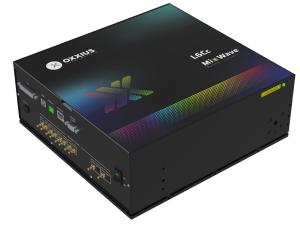

All Built-In. Ready to Go.
MixxWave is Oxxius’ all-in-one multicolor laser platform, combining up to 4 or 6 wavelengths into a single, perfectly aligned beam. Built on a modular architecture compatible with Oxxius FlexxRay, StaxxBeam and MaxxPower lasers, it spans 375 to 1064 nm and scales from standard fluorescence setups to advanced microscopy.
Product ref.
MixxWave with High Power lasers
Product ref.
MixxWave with Single Frequency lasers
Need help?
Frequently Asked Questions
01 - Can I add a new wavelength to my MixxWave after delivery?
Yes. MixxWave is designed for field upgradability, subject to available chassis slots. Empty slots can be populated with new sources in the field.
Adding a channel in the field requires factory calibration and alignment of the new source within the combiner. This is performed by Oxxius.
Note: If expandability is a likely requirement, choosing L6Cc from the outset is more cost-effective than a later chassis upgrade.
02 - Can I add channels or options later?
MixxWave’s modular architecture supports channel additions after delivery, subject to available chassis slots. If expandability matters, discuss this at ordering ; choosing L6Cc over L4Cc preserves two additional slots for future use.
03 - How can I control the MixxWave combiner and which communication interface should I use?
MixxWave offers three communication interfaces, all carrying the same command set:
- USB is the default choice for most laboratory and OEM setups.
- CDC 0 (native USB mode)
- The combiner appears as a virtual COM port (Windows) using CDC 1 mode, which is the recommended configuration for µManager and most integrations.
- RS-232 for integration into industrial or custom electronics environments.
- Ethernet (TCP/IP) enables remote control over a network.
On the software side, MixxWave is compatible with Oxxius GUI, µManager, Python, LabVIEW, ZEN (Zeiss) (Very soon), NIS-Elements (Nikon), TTL, analogue inputs.
04 - How do I specify the power per wavelength channel?
Each channel is independently specified. Account for combining optics losses, fiber and downstream optics losses, and required irradiance at the sample. Providing power requirements at the sample plane helps our team correctly size each source.
05 - Is MixxWave compatible with my software (µManager, ZEN, NIS-Elements)?
Software compatibility depends on the control interface of your configuration and the acquisition software version in use. Compatibility with µManager, Zeiss ZEN, and Nikon NIS-Elements should be confirmed with our team before ordering, as it depends on driver
06 - MixxWave L4Cc or L6Cc: how many wavelengths do I need?
- L4Cc: combines up to 4 wavelengths: suited for standard multicolour setups.
- L6Cc: combines up to 6 wavelengths: for advanced multi-channel applications.
When in doubt, the L6Cc preserves two additional input slots for future channel additions without requiring a system change.
07 - MPA or AOM modulation?
- MPA: analogue intensity control per channel (for slow switching or manual adjustment). Compatible with diode and DPSS channels.
- AOM: high-frequency switching (required for DPSS channels needing fast modulation and any channel used in time-gated or triggered workflows).
Required switching speed must be specified at ordering as MPA and AOM involve different hardware per channel.
08 - My MixxWave will combine diode and DPSS sources: what does that mean?
Most MixxWave systems mix both source types within the same chassis. Key implications:
| Diode channels (LBX) | DPSS channels (LCX / LPX) | |
| Typical wavelengths | 405, 445, 488, 515, 638, 785 nm+ | 532, 553, 561 nm |
| Modulation | Direct current — fast, simple | Requires MPA or AOM per channel |
| Warm-up | Ready quickly | Longer — factor into system start-up sequence |
| Linewidth | ≤1.5–2 nm | ≤0.1 nm — tighter, beneficial for spectroscopy |
| Power range | Up to 1400 mW (MAxxPower channels) | Up to 500–800 mW |
Note: When configuring a MixxWave with both source types, modulation must be defined per channel. Diode channels can be modulated directly; DPSS channels require an AOM for fast switching. Warm-up sequences may also differ (account for this in the instrument control software).
09 - SM or PM fiber output?
- SM (single-mode): best beam quality. Required for confocal or diffraction-limited systems.
- PM (polarisation-maintaining): preserves linear polarisation ; for polarisation-sensitive experiments.
Fiber length and connector type (FC/APC, FC/PC, SMA…) must also be confirmed to match your instrument’s input port.
10 - Which sources should I use: diode LBX or DPSS LCX/LPX?
- LBX diode lasers: best for UV-NIR (375–1064 nm) where diode sources exist. Compact, efficient, straightforward to modulate.
- LCX / LPX DPSS: required for 532, 553, 561 nm not accessible via direct diode — and when tight linewidth or single-frequency performance is needed.
Most MixxWave systems mix both source types to cover the full wavelength set.